Job-Site Photo Visualizer
Turn jobsite photos into design conversations. Explore renovation concepts, refine the details, compare client favorites, and carry the chosen design into a quote. Upload a photo and describe the planned work to get started. AI-generated concepts are for discussion, not construction guarantees. References and edit selections guide the result but may not match exactly; always verify measurements, materials, and pricing.
Inside the product
See how it works in the real app
Real TradesArrow screens automatically rotate below. Use the arrows or dots to explore at your own pace.
Turn an existing room photo into a finished-look preview.
Screenshot 1 of 2
Swap cabinet styles in seconds
 AFTER
AFTER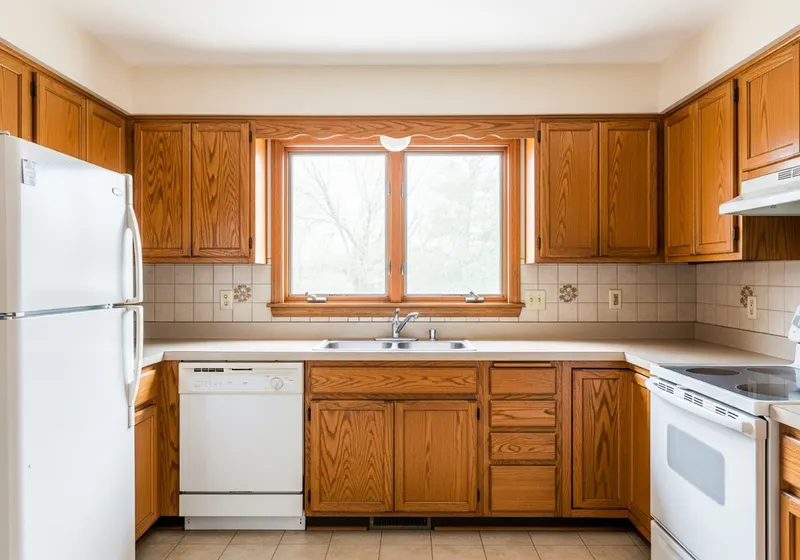 BEFORE
Dated oak → bright white shaker cabinets
 AFTER
AFTER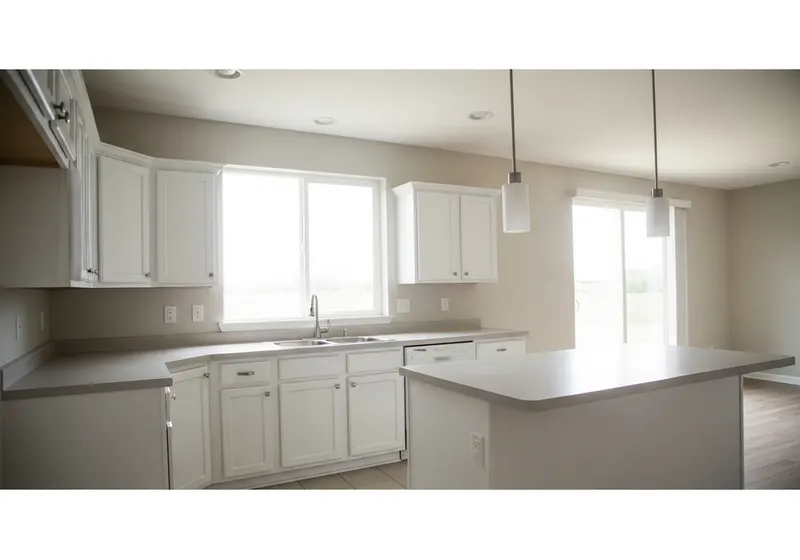 BEFORE
Plain white → bold navy & brass kitchen
Drag the slider to reveal each AgentArrow-rendered transformation
Win the job before it starts
Help clients choose with confidence. Compare saved designs, refine their favorite, and bring the agreed direction into a quote.
Your upgraded design toolkit
See every detail
Zoom, pan, and browse full-size photos without cropping away the bigger picture.
Compare your options
Use a sliding comparison or side-by-side view for before-and-after photos or two saved designs.
Keep client favorites
Save previous renders automatically, name each alternative, and star the designs your client loves.
Focus the changes
Brush over the area to edit and ask Arrow to keep everything else unchanged.
Show your inspiration
Attach inspiration photos or material references to guide finishes, colors, and style.
Explore in batches
Visualize multiple selected photos together instead of starting each one separately.
Present it professionally
Share selected concepts with your logo and project notes, or download a branded comparison. Sharing links expire and can be revoked.
Move from design to quote
Start a quote with the selected image and renovation instructions, then confirm measurements and scope.
Why contractors choose TradesArrow
Job-Site Photo Visualizer is one piece of a connected system that runs your whole operation — customers, jobs, quotes, invoices, calendar, and your team all in one place. No more switching apps or losing data.
Explore more features
Ready to put it to work?
Start your 1-month free trial. No credit card, no setup fees — get your team running in minutes.